 Every Voice
Getting started
What Every Voice does, what you need, and how a session works from start to finish.
Every Voice listens to someone speaking and turns it into live captions and spoken translation. People in the room follow along on their own phones, in the language they choose, without installing anything or making an account.
There are three parts to it:
| Part | Who uses it | Where it runs |
|---|---|---|
| Studio | The person running the event | Chrome or Edge on a computer |
| Listener page | Everyone following along | Any phone, tablet or computer browser |
| Displays | Projectors, TVs and video streams | Any browser, OBS, vMix and similar |
What you need
- A computer with Chrome or Edge, connected to the internet.
- A way to get the speaker's audio into that computer. A microphone works. A cable from your sound system works better. See Audio setup.
- A Wi-Fi or cellular connection for your listeners.
How a session goes
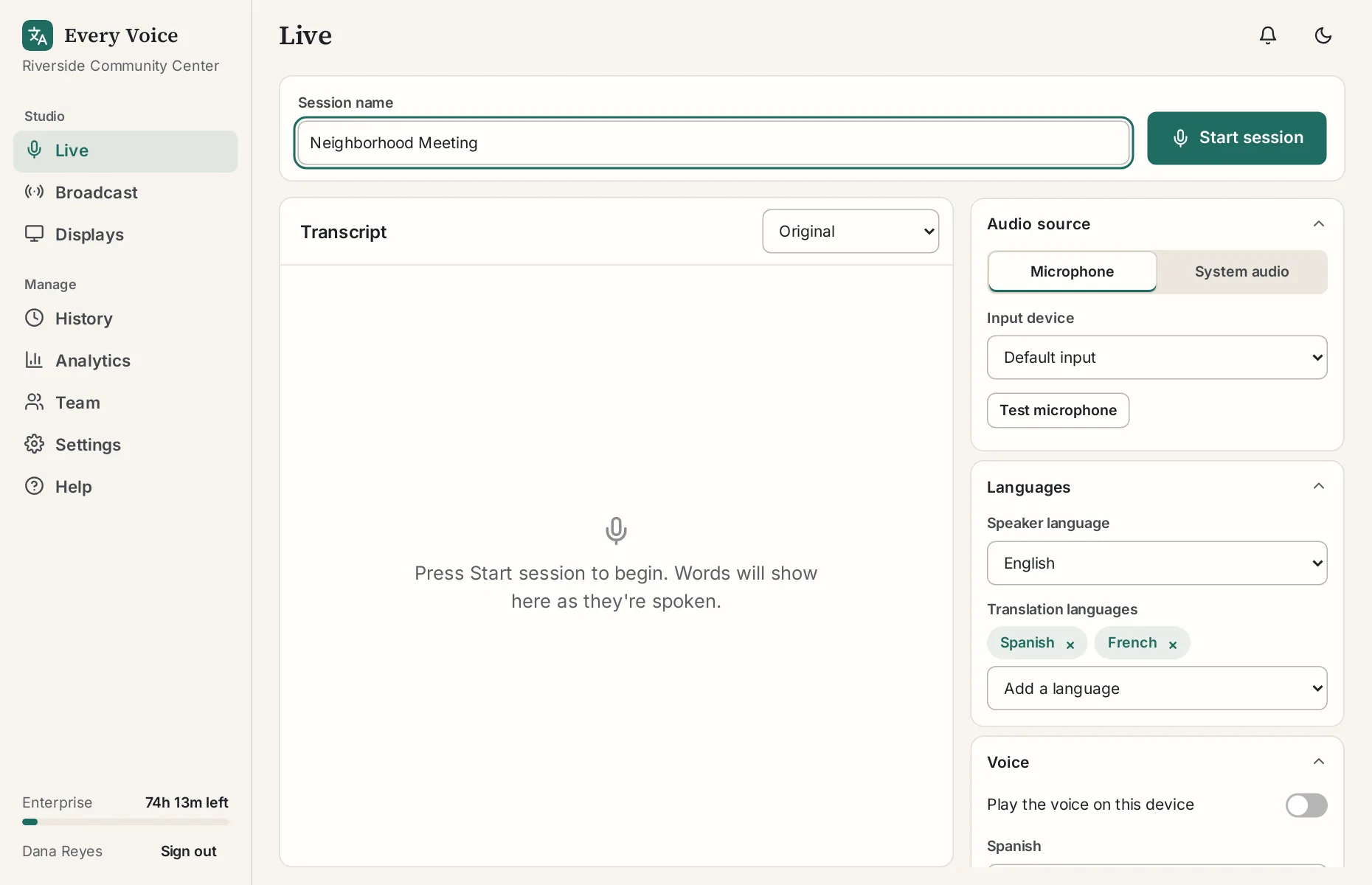
- Open the studio and go to Live.
- Choose your audio source, the language being spoken and the languages you want to offer.
- Press Start session and allow the microphone.
- Show your QR code so people can join.
- Press Stop session when you finish. The transcript is saved to History automatically.
The status at the top moves from Connecting to Listening to Live. Listening means everything is ready and it's waiting for someone to speak, so a quiet room isn't a problem.
Try it before you sign up
The sample broadcast is a short talk in ten languages. It's the same page your listeners will see, so it's a quick way to find out what it's like.
Start a free trial
Sign up with your email to get one free hour with one translation language. You'll get a link to confirm your address, then you choose your organization name and password. No card is needed. The first session tutorial takes about ten minutes.