 Every Voice
Run your first session
Go from a new account to live captions on your phone.
Create your account
Sign up with your email. We'll send a link to confirm it's yours. Open the link, choose your organization name and a password, and you'll land in the studio. Your free trial includes one hour and one translation language.
Test your microphone
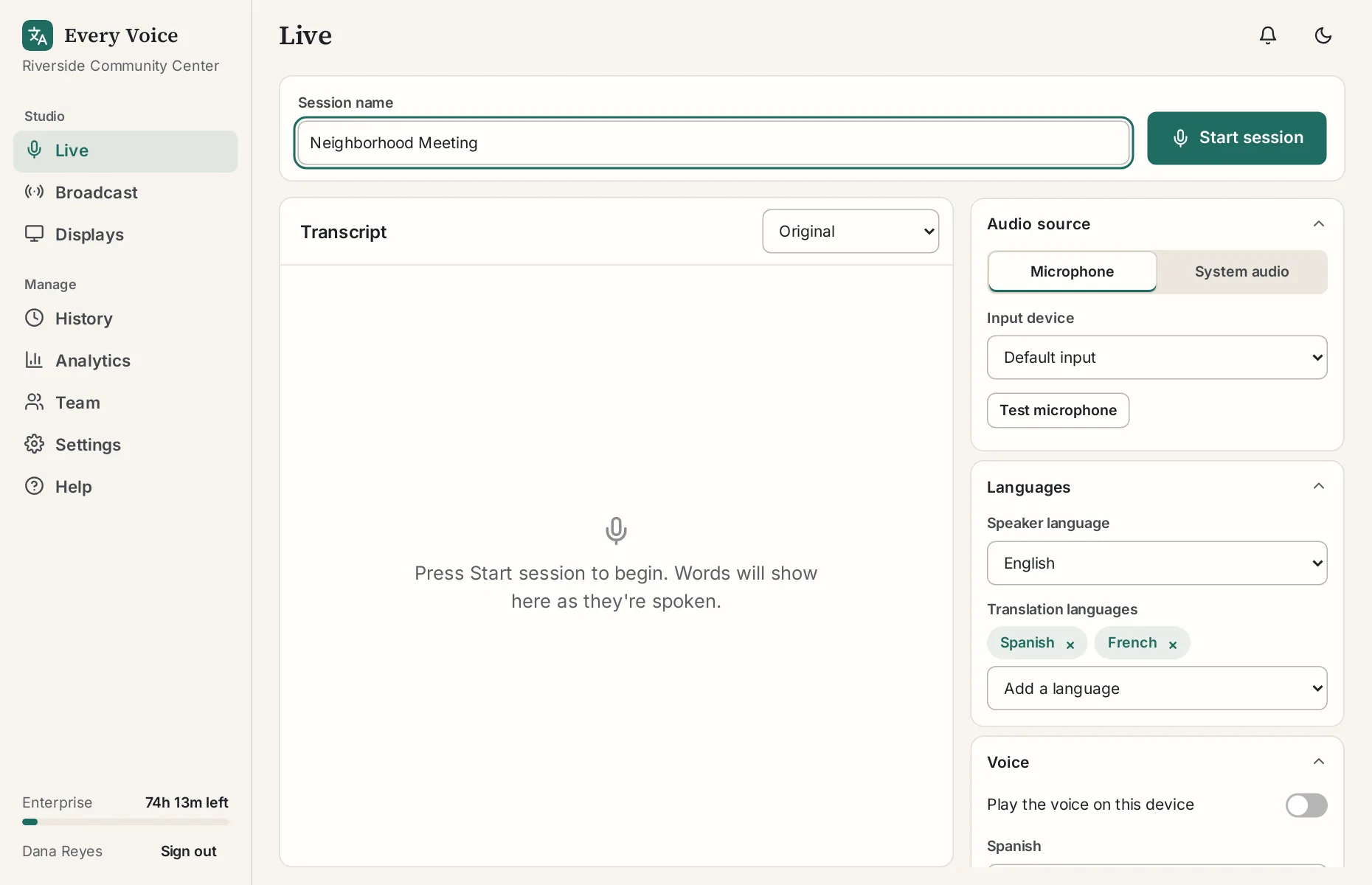
Go to Live and open Audio source. Leave it on Microphone, press Test microphone and talk for about ten seconds. The bar should move when you talk. When the test ends, the studio tells you if the sound is good or what to change. Testing doesn't use any of your hour.
Choose your languages
Open Languages. Under Speaker language, choose the language you're going to speak. Under Translation languages, add one you'd like to read.
Start the session
Press Start session and allow the microphone when the browser asks. The status will change to Listening.
Open it on your phone
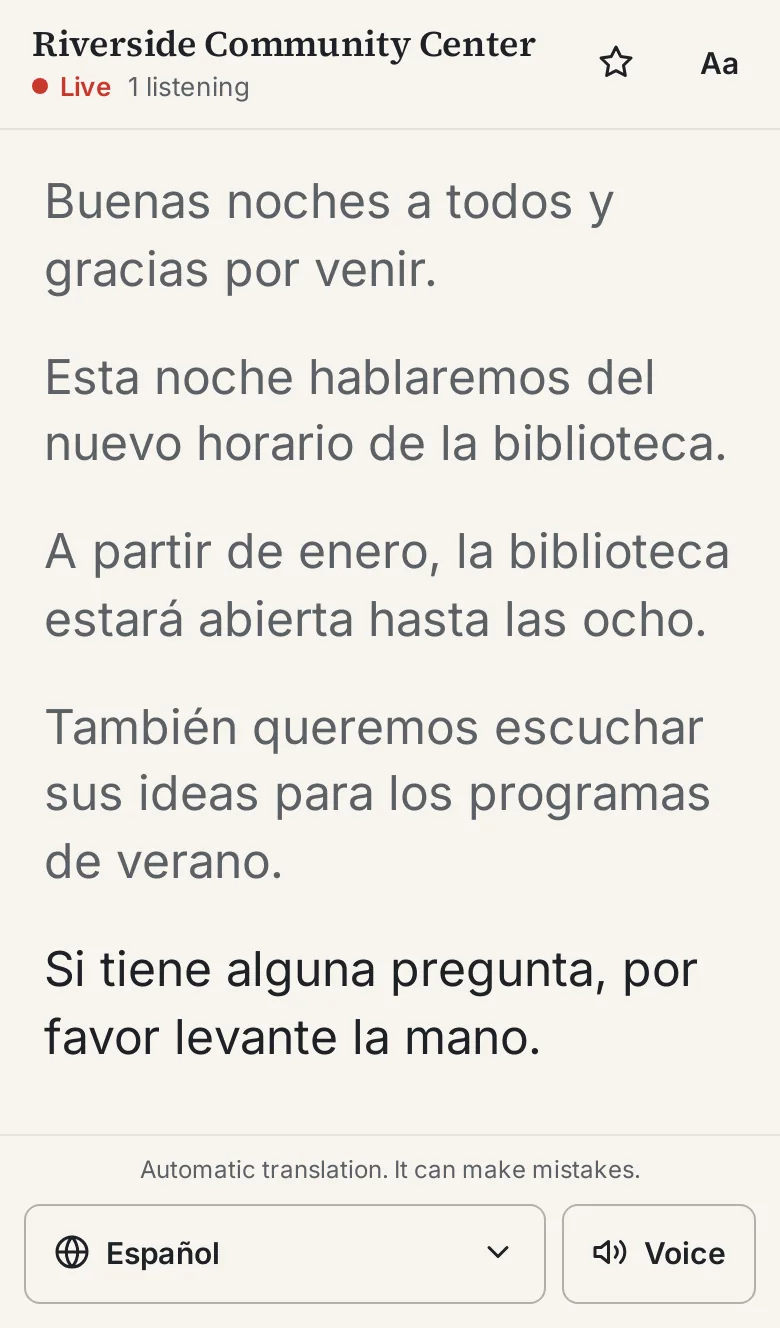
Go to Broadcast in the studio and scan the QR code with your phone. Tap the language button at the bottom of the phone screen and choose your translation language.
Say something
Go back to Live and talk for a minute. Read something aloud if you can't think of what to say. Your words appear in the studio, and the translation appears on your phone.
Turn on the voice
Tap Voice on your phone to hear the translation. If you're in the same room as the computer, use headphones so the microphone doesn't pick up the voice and try to caption it.
Stop and look at the transcript
Press Stop session and open History. Your session is saved there with the original and the translation.
From here, you can connect your sound system or read about sharing with your audience.