 Every Voice
Teach it the names you use
Use last week's transcript to find what it's getting wrong, and fix it for good.
Open a recent transcript
Go to History and open a session where people talked about your organization.
Look for mistakes
Read through it looking for names of people, places and programs. Note anything that came out wrong.
Add each one
Go to Settings, Names and special words. Under Word or name, type the correct spelling and press Add.
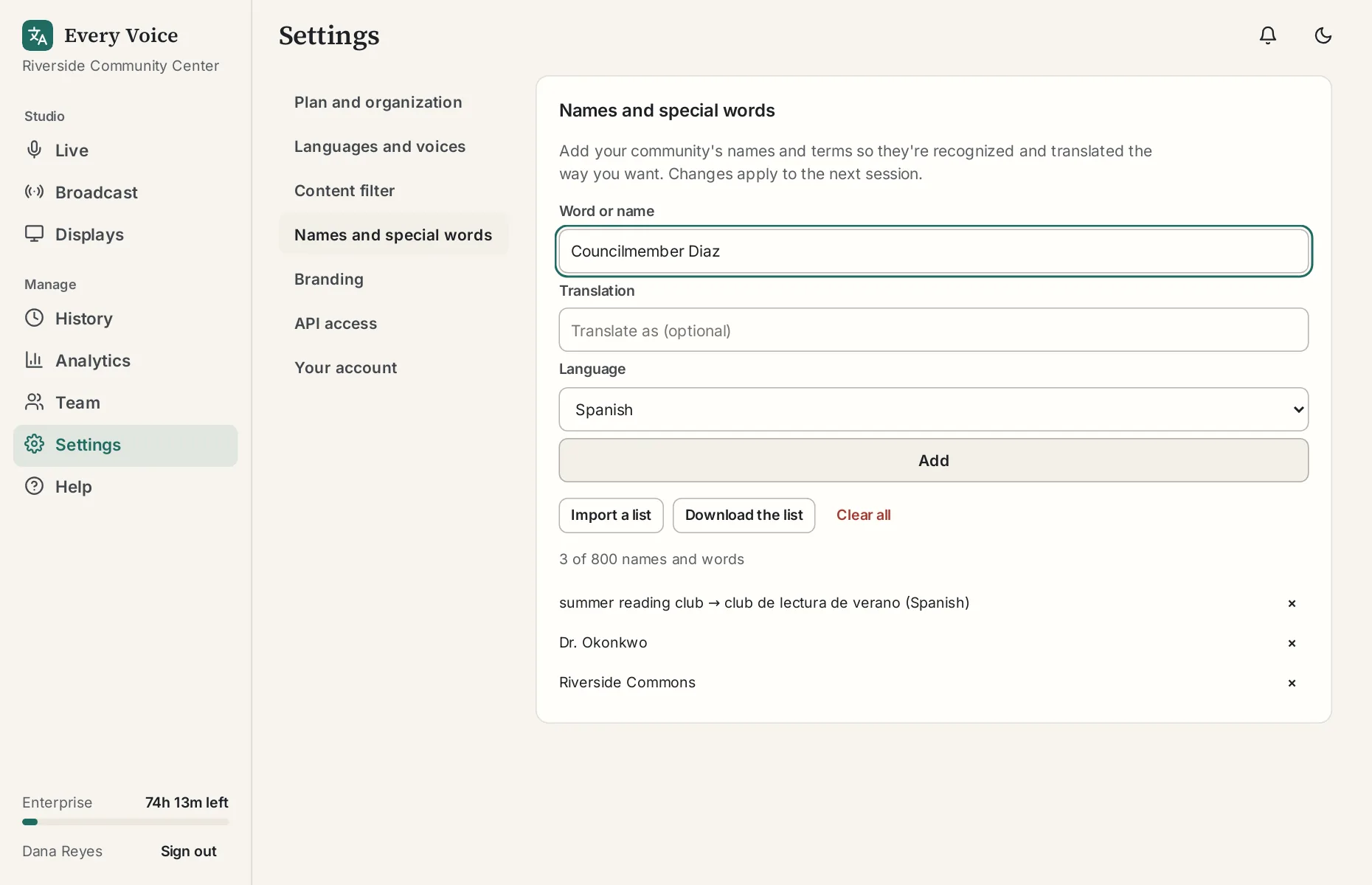
If you already have the names in a list or a spreadsheet, import them all at once instead.
Set translations where they matter
Some names should change between languages, and some shouldn't. If you have a preferred translation, enter it under Translation and choose the Language. Leave those blank to keep the word as it is.
Tell it what kind of event you run
Under Settings, Plan and organization, fill in What kind of event is this usually? A few words is enough.
Check next time
Changes apply to your next session. Check the transcript afterward and add anything else that came up.