Every Voice
Put captions on a projector or TV
Show live captions on a big screen for everyone in the room.
Create a display
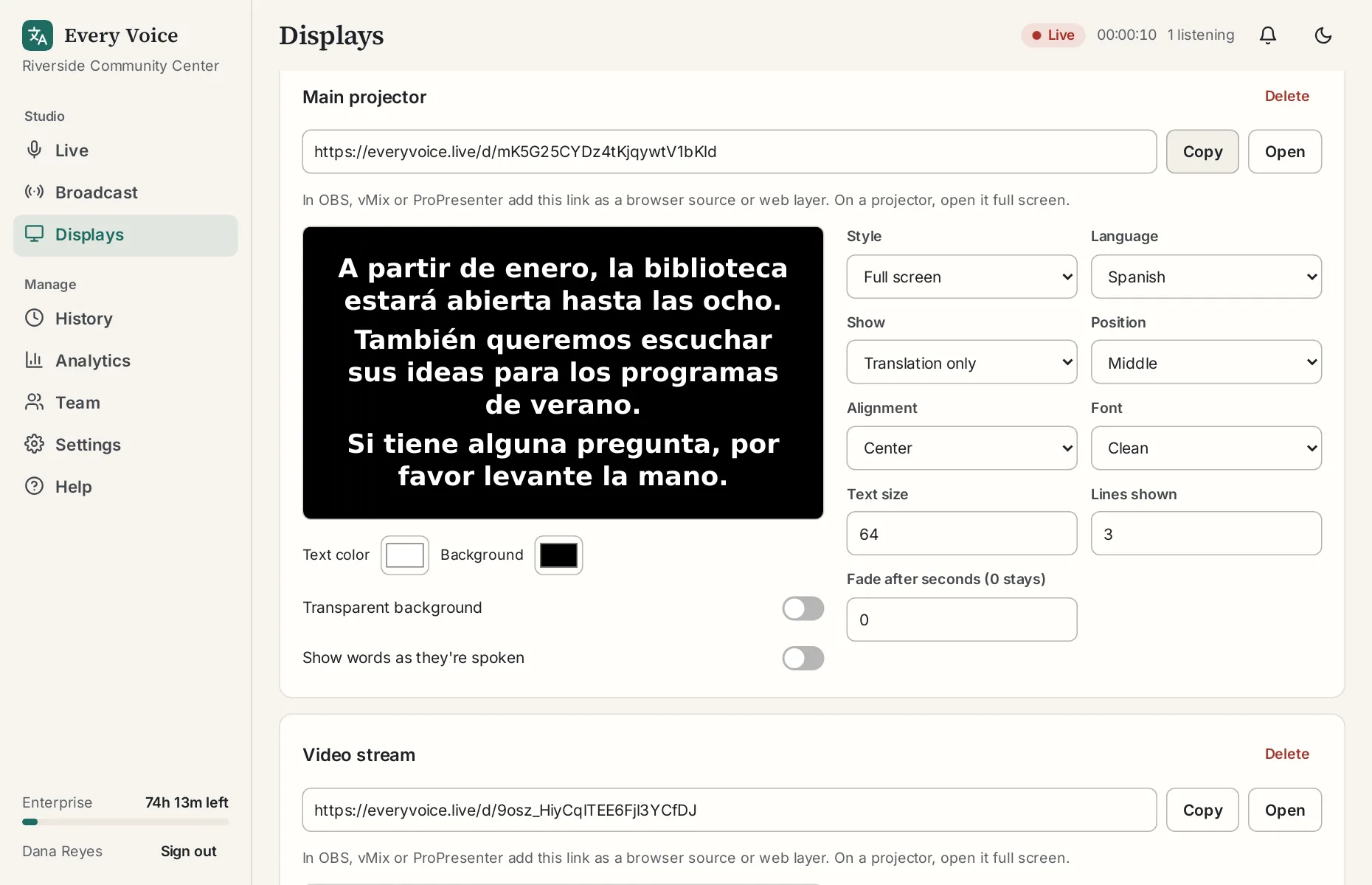
Go to Displays. Type a name like "Main projector", choose Full screen and press Add.
Set how it looks
Choose the language and whether to show the translation, the original or both. For a big screen, start with a large text size, 2 or 3 lines, and Fade after seconds set to 0. The preview updates as you go.
Open the link on the screen
Copy the display link and open it in a browser on the computer connected to the projector. Press F11 for full screen. The display waits and starts by itself when a session begins, so you can set it up ahead of time.
Check it from the back of the room
Start a session, say something, and go stand where the last row will be. If you can't read it easily, raise the text size. You can change it from the studio without touching the projector's computer.